
SHAREit
SHAREit is a free Windows app from the SHAREit Team for moving photos, videos and documents between a PC and a phone. The current version is 5.1.0.7.
22.7 MB

YouTube Center was a free browser extension and user script that added options to YouTube; the project was discontinued on August 30, 2018.
Average 0.0 · ratings: 0
Thank you! Your rating is saved; you can change it. Could not save the rating. Please try again later. Too many ratings from your network today. Please try again tomorrow. The average appears after 5 ratings.
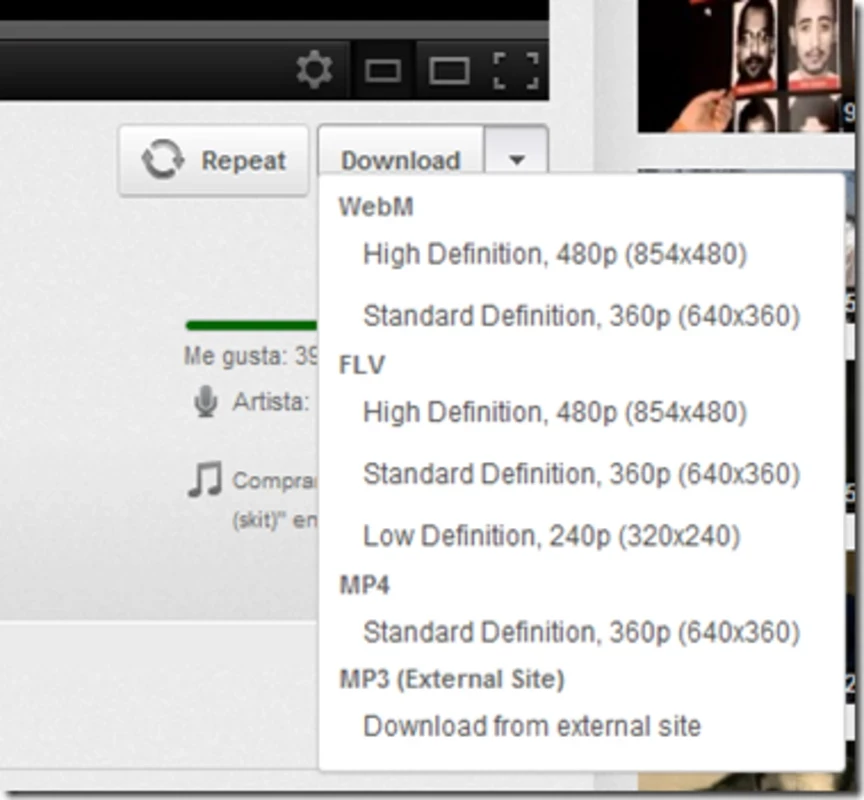
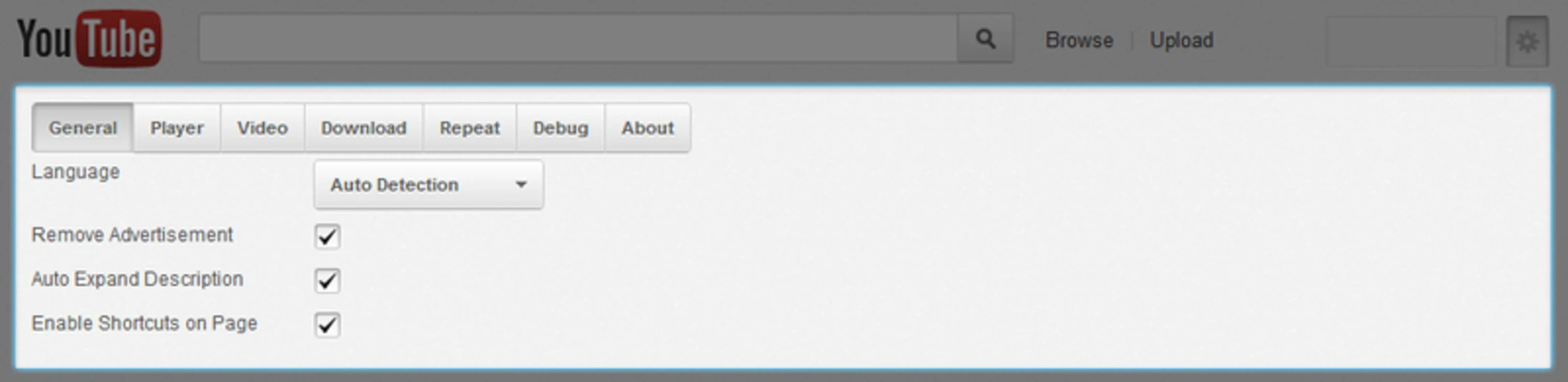
YouTube Center 2.1.7 was a free browser extension and user script that added a long list of options to YouTube: default video quality, player size, auto-play control, repeat, and the ability to download videos. The project was discontinued on August 30, 2018 and has not been updated since. Its code and history remain available on GitHub for reference, but there is little point in trying to download YouTube Center for use today.
In its day, YouTube Center was a favourite of people who wanted YouTube to behave their way. It could force a preferred resolution instead of the automatic one, stop videos from starting on their own, resize the player, hide annotations and comments, and add buttons for saving videos. It ran as an extension in browsers such as Firefox and Chrome, and as a user script for script managers. All of that relied on the structure of YouTube's pages at the time. YouTube has redesigned its site and player many times since then, and browsers have changed how extensions work. A tool that modifies a website stops working the moment that website changes, unless someone keeps updating it. With development over, YouTube Center no longer matches the current YouTube, and old versions from unofficial sources can be a security risk because extensions have access to the pages you visit.
The source code and documentation are archived in the YouTube Center repository on GitHub, including the changelog of its releases. This is useful for developers studying how such extensions were built, not as a source of a working tool.
| Item | Details |
|---|---|
| Last version | 2.1.7 |
| Status | discontinued on August 30, 2018 |
| Type | browser extension / user script |
| Licence | free |
| Size | about 760.98 KB according to catalogue data |
YouTube Center shows how dependent add-ons are on the sites they modify. Popular extensions stay useful only while someone updates them after every redesign. When you choose an extension today, look at when it was last updated, how many people use it and whether the developer answers bug reports. An abandoned extension with broad permissions is also an attractive target: if someone takes over its listing or its update channel, they can push malicious code to every browser that still has it installed.
For saving videos you have the right to keep, our listings include 4K Video Downloader, yt-dlp, JDownloader and ClipGrab. Respect YouTube's terms and copyright when using them.
SHAREit is a free Windows app from the SHAREit Team for moving photos, videos and documents between a PC and a phone. The current version is 5.1.0.7.

Zapya for Windows is a free file transfer app from DewMobile for moving files between a PC and phones over a local wireless connection.

Easy Connection to Screen is Samsung's Windows app for showing a PC's screen on a compatible Samsung TV over a wireless connection.

Internet Download Manager (IDM) is a shareware download manager for Windows from Tonec that accelerates, resumes and schedules downloads.

uTorrent (μTorrent) is a small BitTorrent client for Windows from Rainberry (BitTorrent Inc) for downloading and sharing files over torrents.

AnyDesk is a remote desktop application for connecting to and controlling another computer over the internet, from a small Windows program.

ShareMe is Xiaomi's free app for sending files between devices without a cable; on Windows the Android app runs only inside an emulator.

Xender is a free file sharing app from the Xender File Sharing Team for sending files between phones and computers over a local connection.